
What’s The Difference and How to Choose the Right Cable
When setting up audio or lighting equipment, choosing the right cables is essential to ensure optimal performance and signal integrity. Understanding the differences between XLR cables, DMX cables, balanced patch cables, and instrument cables can help you make informed decisions for your setup. Let’s break down each type of cable and its primary uses.
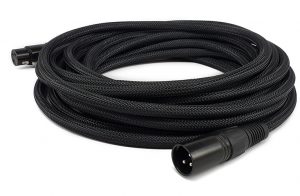
1. XLR Cables
Purpose: XLR cables are primarily used for audio signals, especially in professional sound systems.
Design:
XLR cables typically have three pins (although variations exist) and a circular connector.
They are designed for balanced audio signals, which helps reduce noise over long cable runs.
Commonly used for microphones, mixers, and audio interfaces.
Key Features:
Balanced signal transmission minimizes interference.
Durable and locking connectors for secure connections.
Common Misuse: While XLR cables can physically connect to DMX devices, they are not optimized for DMX lighting signals due to different impedance requirements.
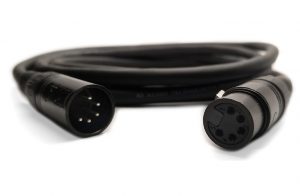
2. DMX Cables
Purpose: DMX cables are used to transmit digital control signals for lighting systems.
Design:
Similar in appearance to XLR cables but specifically designed for DMX512 protocol.
Typically feature 3 pin or 5 pin connectors.
Have a characteristic impedance of 120 ohms, crucial for accurate signal transmission.
Key Features:
Optimized for high-speed digital data.
Often shielded to prevent interference in complex lighting setups.
Common Misuse: Using XLR cables instead of DMX cables can cause unreliable lighting performance due to mismatched impedance.
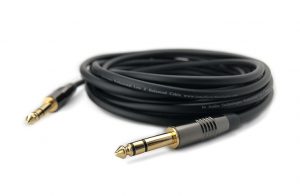
3. Balanced Patch Cables
Purpose: Balanced patch cables are used for long-distance audio connections, often in studio or live sound setups.
Design:
Typically feature ¼” TRS (Tip-Ring-Sleeve) connectors, which look like stereo headphone jacks.
Carry balanced audio signals, similar to XLR cables.
Key Features:
Ideal for connecting outboard gear, mixers, and audio interfaces.
Compact and versatile for patch bays and tight setups.
Common Misuse: Confusing balanced patch cables with unbalanced cables can result in noise issues when connecting sensitive audio equipment.
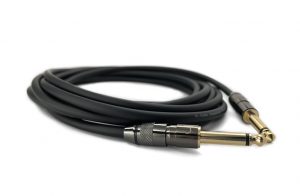
4. Instrument Cables
Purpose: Instrument cables are designed to carry unbalanced audio signals from instruments like guitars, basses, and keyboards.
Design:
Feature ¼” TS (Tip-Sleeve) connectors, which are simpler than TRS connectors.
Unbalanced design makes them more susceptible to noise over long distances.
Key Features:
Optimized for high-impedance instrument outputs.
Flexible and easy to handle on stage.
Common Misuse: Using instrument cables for speaker connections or balanced audio can lead to signal degradation or equipment damage.
Key Differences at a Glance
Tips for Choosing the Right Cable
Match the Cable to the Application
Always use cables designed for the specific task, such as DMX for lighting and XLR for microphones.
Check Connectors and Impedance
Ensure the connectors and impedance match the requirements of your devices.
Avoid Substitutions
While some cables look similar, using the wrong type can result in performance issues or equipment damage.
Understanding these differences ensures a reliable and efficient setup, whether you’re working with audio, lighting, or both. Investing in the right cables not only improves signal quality but also enhances the longevity of your equipment.


